CRM and ERP AI Integration Strategy (2026)
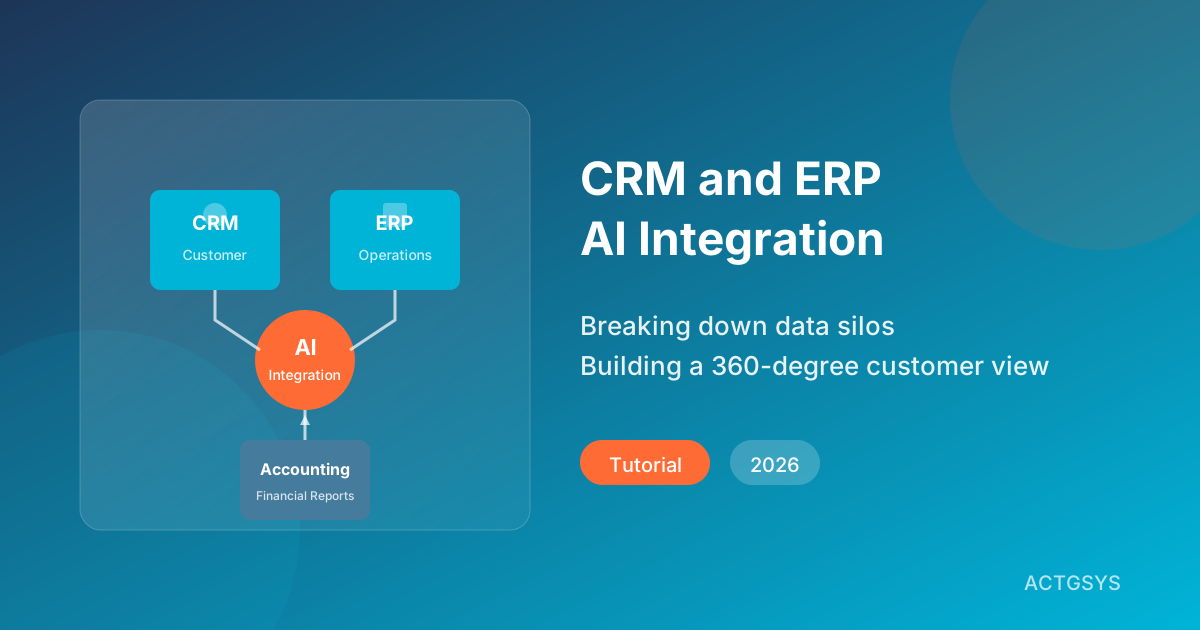
"When a customer calls to ask about their order status, customer service has to open three different systems to answer." This is a daily pain point for many enterprises. CRM knows who the customer is, ERP knows where the order is, but the two systems don't talk to each other. In 2026, AI is changing this landscape—not just by connecting data, but by making systems "understand" how to collaborate.
Why is CRM and ERP Integration So Important?
The Cost of Data Silos
According to IBM research, enterprises use an average of over 900 applications, but only 29% of them are integrated. The problems caused by these data silos include:
- Duplicate Entry: The same customer data needs to be entered separately in multiple systems
- Information Gaps: Sales doesn't know the customer's order has been delayed
- Decision Delays: Creating reports requires manually consolidating data from multiple systems
- Poor Customer Experience: Customers are asked to repeatedly provide information they've already given
Business Value of Integration
| Metric | Before Integration | After Integration | Improvement |
|---|---|---|---|
| Order Processing Time | 4 hours | 30 minutes | -87.5% |
| Customer Response Time | 24 hours | 2 hours | -91.7% |
| Data Entry Error Rate | 8% | 0.5% | -93.8% |
| Month-end Report Time | 5 days | 4 hours | -96.7% |
| Customer Satisfaction | 72% | 89% | +23.6% |
How AI is Changing System Integration in 2026
Traditional system integration relies on fixed API connections and data mapping rules. But AI brings smarter integration approaches:
Intelligent Data Mapping
AI can automatically identify similar fields across different systems, for example:
- CRM's "Customer Name" = ERP's "Vendor Name"
- CRM's "Contact Phone" = ERP's "Purchaser Phone"
This significantly reduces the time spent manually configuring data mappings.
Natural Language Queries
With AI integration, users can query cross-system data directly in natural language:
"What's the shipping status for orders from our top 10 revenue customers this month?"
AI will automatically:
- Query revenue rankings from CRM
- Query corresponding order status from ERP
- Integrate results and present in an easy-to-read format
Predictive Insights
AI doesn't just passively integrate data—it actively discovers cross-system insights:
- "Customer A's order volume has declined for three consecutive months, but complaints are increasing"
- "Product B has a high return rate, suggest reviewing supplier quality"
- "Customer C's payment cycle is extending, credit risk is rising"
Five Patterns for CRM and ERP Integration
Pattern 1: Point-to-Point Direct Integration
Architecture: CRM communicates directly with ERP via API
Pros:
- Relatively simple implementation
- Real-time synchronization
- Low latency
Cons:
- Difficult to scale
- High maintenance complexity
- Single point of failure risk
Best For: Small businesses needing to integrate only 2-3 systems
Pattern 2: Middleware Integration (iPaaS)
Architecture: Connect systems through integration platforms (like Zapier, Make)
Pros:
- Visual configuration
- No coding required
- Easy to maintain
Cons:
- May have latency
- Limited by platform capabilities
- Higher long-term costs
Best For: SMEs with limited technical resources
Pattern 3: Data Warehouse Integration
Architecture: System data periodically synced to a central data warehouse
Pros:
- Ideal for analytics
- Doesn't affect source system performance
- Can retain historical data
Cons:
- Not real-time
- Requires ETL development
- Higher storage costs
Best For: Enterprises requiring extensive report analysis
Pattern 4: Event-Driven Integration
Architecture: Systems synchronize through event messages
Pros:
- Loose coupling
- Highly scalable
- Real-time response
Cons:
- Complex architecture
- Requires message queue infrastructure
- Harder to debug
Best For: Medium to large enterprises with technical teams
Pattern 5: AI Orchestration Integration
Architecture: AI Agent acts as intelligent intermediary, dynamically coordinating systems
Pros:
- Maximum flexibility
- Can handle exceptions
- Continuous learning and optimization
Cons:
- High initial cost
- Requires AI expertise
- Emerging technology, best practices still developing
Best For: Forward-thinking enterprises pursuing innovation
Integration Architecture Comparison
| Integration Pattern | Real-time | Scalability | Complexity | Cost | Best For |
|---|---|---|---|---|---|
| Point-to-Point | High | Low | Low | Low | Small business |
| iPaaS | Medium | Medium | Low | Medium | SME |
| Data Warehouse | Low | High | Medium | Med-High | Analytics-focused |
| Event-Driven | High | High | High | Med-High | Mid-large enterprise |
| AI Orchestration | High | High | High | High | Innovative enterprise |
CRM-ERP Integration Implementation Steps
Step 1: Inventory Current Systems and Data Flows
First, map out existing system data flows:
- List all systems in use (CRM, ERP, accounting, e-commerce, etc.)
- Identify key data entities in each system (customers, products, orders, etc.)
- Draw current data flow directions and manual sync points
Step 2: Define Integration Goals and Priorities
Common integration goals include:
High Priority:
- Customer data synchronization (single customer view)
- Real-time order status updates
- Inventory quantity synchronization
Medium Priority:
- Quote and order linkage
- Payment record synchronization
- Customer credit limit management
Lower Priority:
- Historical transaction data integration
- Report automation
- Predictive analytics
Step 3: Choose Integration Technology
Choose based on enterprise size and technical capability:
| Enterprise Type | Recommended Solution | Budget Range |
|---|---|---|
| Micro (under 10 people) | Zapier + native integrations | $30-150/month |
| Small (10-50 people) | Make + custom connectors | $150-600/month |
| Medium (50-200 people) | iPaaS or custom API | $1,500-6,000/month |
| Large (200+ people) | Enterprise integration platform | Individual assessment |
Step 4: Data Quality Preparation
Ensure data quality before integration:
- Deduplication: Merge duplicate customer and product records
- Standardization: Unify formats (phone numbers, addresses, etc.)
- Completion: Fill in missing values for required fields
- Validation: Verify data accuracy
Step 5: Phased Implementation
Recommended implementation sequence:
Phase 1 (1-2 months):
- Establish customer master data synchronization
- Implement basic order status synchronization
Phase 2 (2-3 months):
- Integrate inventory quantities
- Connect quote and order processes
Phase 3 (3-6 months):
- Introduce AI intelligent queries
- Build automated reports
Step 6: Monitor and Continuously Optimize
Establish key metrics tracking:
- Sync success rate (target >99.5%)
- Sync latency time (target <5 minutes)
- Data consistency check pass rate
- User satisfaction
Case Study: Trading Company CRM-ERP-Accounting Integration
Background: An import/export trading company with annual revenue of approximately $16 million USD, using DanLee CRM + Dinkoko ERP + TanJee accounting system.
Pain Points Before Integration:
- After receiving customer orders, manually created sales orders in ERP
- After shipping, separately updated CRM customer records and ERP order status
- Month-end reconciliation took 3 days comparing numbers across three systems
Integration Solution:
-
Customer Master Synchronization
- When adding a customer in CRM, automatically creates corresponding vendor in ERP
- Customer tier and credit limits auto-sync
-
Order Process Automation
- When CRM quote is confirmed, automatically creates sales order in ERP
- When ERP ships, automatically updates CRM customer interaction records
- Shipping info automatically notifies customer via LINE
-
Financial Linkage
- When ERP sales order is posted, automatically creates accounts receivable in accounting system
- When payment confirmed, automatically updates customer credit limit
-
AI Intelligent Queries
- Sales can query complete customer transaction history via LINE Bot
- AI proactively alerts on overdue receivables
Integration Results:
- Order processing time reduced by 75%
- Month-end reconciliation time reduced from 3 days to 2 hours
- Customer inquiry response time reduced from 2 hours to 10 minutes
- Data entry error rate reduced by 95%
FAQ
Q1: What if existing systems don't have APIs?
Many traditional systems can be integrated through:
- Direct Database Connection: Directly read/write system database
- File Exchange: Batch sync via CSV/Excel files
- RPA Robots: Simulate manual interface operations
- Screen Scraping: For legacy systems that cannot be modified
Consider prioritizing system upgrade or replacement feasibility.
Q2: Will integration affect existing system operations?
A well-designed integration solution should not affect system operations:
- Use APIs rather than direct database access
- Implement retry mechanisms and error handling
- Set reasonable sync frequencies to avoid system overload
- Execute large data syncs during off-peak hours
Q3: How are data sync conflicts handled?
Common conflict handling strategies:
- Timestamp Priority: Use the most recent update time
- Source Priority: Designate a primary data source
- Manual Review: Important data confirmed by personnel
- Merge Rules: Automatically merge based on business logic
Q4: How long does an integration project typically take?
Depends on complexity:
- Simple integration (2-3 systems, basic sync): 1-2 months
- Moderate integration (multiple systems, includes process automation): 3-6 months
- Complex integration (enterprise-level, includes AI features): 6-12 months
Q5: Should we do it ourselves or hire external teams?
Consider the following factors:
- Do you have internal API development experience?
- Are you familiar with each system's data structure?
- Do you have sufficient time to invest?
- How complex are the integration requirements?
If any of the above answers is "no," consider seeking professional team assistance.
Conclusion: Data Integration is the Foundation for AI Success
CRM and ERP integration is not just a technical project—it's the cornerstone of enterprise digital transformation. According to Google Cloud research, data quality is the primary condition for AI success—and integration is key to ensuring data quality.
In 2026, successful enterprises will no longer tolerate data silos. They will build unified customer views, real-time order tracking, and automated financial processes. And the starting point for all of this is planning system integration now.
Ready to break down your data silos?
The ACTGSYS team specializes in CRM, ERP, and accounting system integration. We can help you:
- Assess the integration feasibility of existing systems
- Design the most suitable integration architecture
- Implement automated data synchronization
- Introduce AI intelligent query capabilities
👉 Schedule a Free Consultation and let's build a seamlessly connected enterprise system together!
Products & Solutions in This Article
AI-powered CRM for lead management, customer tracking, and sales pipeline optimization designed for SMEs.
AI-driven ERP focusing on procurement, inventory, and supply chain management. Each customer deployed on dedicated cloud infrastructure.
Related Articles
SME Process Reengineering for AI Automation (2026)
Why do most AI automation projects fail? This guide reveals that Business Process Reengineering (BPR) is the key to success, with a complete framework for SMEs.
What is ERP? Guide to Inventory Management Systems for SMEs
A comprehensive guide to ERP enterprise resource planning systems: from basic inventory management functions to implementation best practices. Learn how to select the right ERP system for your business and optimize inventory and order management.
What Is CRM? The 2025 SME Guide
A comprehensive guide to CRM systems: from basic concepts to implementation best practices. Learn how to select and implement the right CRM system to improve sales and customer management for your business.
What would this cost you?
Answer five questions. Within three working days you get a price range and what it covers. No deck, no follow-up sales calls.
Prefer to talk?LINE·02-2553-8084