Vibe Coding 2026: Build Software at 1/10 the Cost
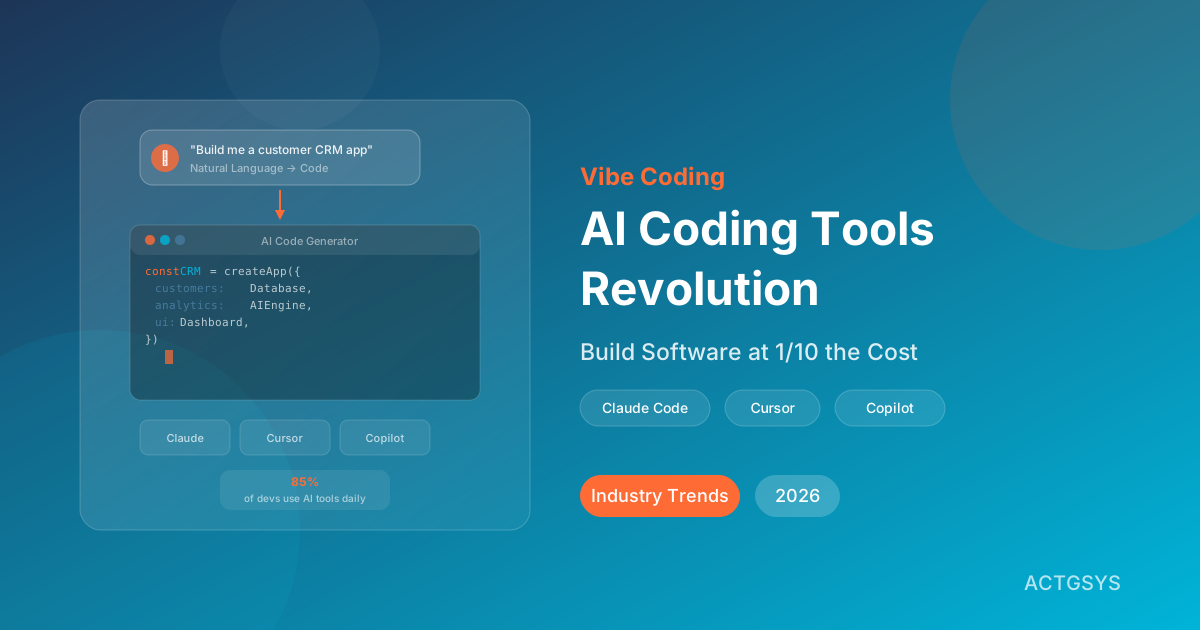
"I can't code, but I just built a customer management system in two hours using AI." This isn't science fiction — it's happening right now in 2026. According to the JetBrains Developer Ecosystem Report, 85% of developers now use AI assistants daily, and a groundbreaking concept called "Vibe Coding" is completely reshaping the barriers and costs of software development. For SMEs, this represents an unprecedented opportunity.
What Is Vibe Coding and Why Is It Taking Over?
Vibe Coding is a concept introduced by AI research pioneer Andrej Karpathy in late 2025. It describes a revolutionary approach to software development — you simply describe what you want in natural language, and AI writes the complete code for you.
Traditional software development requires learning programming languages, understanding frameworks, and debugging through extensive testing — a process that can take months. Vibe Coding transforms this into:
- Describe the feature you want in plain language
- AI generates the complete code
- Preview and adjust in real-time
- Deploy to production
Vibe Coding vs Traditional Development vs No-Code
| Factor | Traditional Development | No-Code Platforms | Vibe Coding |
|---|---|---|---|
| Technical Barrier | High (learn programming) | Low (drag-and-drop) | Very Low (just describe it) |
| Customization | Very High | Limited | High |
| Development Speed | Slow (weeks to months) | Medium (days to weeks) | Fast (hours to days) |
| Development Cost | High | Medium | Low |
| Maintainability | High (source code owned) | Low (platform lock-in) | High (source code owned) |
| Best For | Complex systems | Simple applications | Most business applications |
The Four Hottest AI Coding Tools of 2026
1. Claude Code — The Deep Reasoning Champion
Claude Code is Anthropic's AI coding agent tool, renowned for its powerful reasoning capabilities and ultra-long context understanding. Claude 4.6 Opus features a 1 million token context window (beta), capable of understanding entire large project structures.
Core strengths:
- Industry-leading deep reasoning and debugging
- Simultaneously understand and modify multiple files
- Autonomously run tests and iterate on improvements
- Excellent for architectural design and large-scale refactoring
Best for: Complex business logic, system architecture design, large project maintenance
2. Cursor — The AI-Native IDE Standard
Cursor is built from the ground up as an AI-native integrated development environment, unlike tools that bolt AI onto existing editors.
Core strengths:
- AI-native design with seamless workflow
- Composer feature for automatic multi-file editing
- Highly accurate Tab smart completions
- Active developer community and robust ecosystem
Best for: Daily development, rapid prototyping, indie developers
3. GitHub Copilot — The Enterprise Standard
GitHub Copilot leverages Microsoft and GitHub's massive ecosystem, making it the most widely adopted AI development tool among enterprise teams.
Core strengths:
- Deep integration with VS Code and JetBrains
- Copilot Workspace for complete agentic development
- Enterprise version with comprehensive security and compliance
- Full GitHub ecosystem integration (Issues, PRs, Actions)
Best for: Enterprise development teams, CI/CD automation, large team collaboration
4. Windsurf — The Rising Challenger
Windsurf's Wave 13 release in February 2026 introduced breakthrough features, rapidly gaining attention in developer communities.
Core strengths:
- Frequent feature updates
- Intuitive interface design
- Strong price competitiveness
- Especially beginner-friendly
Best for: Personal projects, learning to code, rapid experimentation
Quick Comparison Chart
| Criteria | Claude Code | Cursor | GitHub Copilot | Windsurf |
|---|---|---|---|---|
| Reasoning | ★★★★★ | ★★★★☆ | ★★★☆☆ | ★★★☆☆ |
| Ease of Use | ★★★☆☆ | ★★★★★ | ★★★★☆ | ★★★★★ |
| Multi-file | ★★★★★ | ★★★★☆ | ★★★☆☆ | ★★★★☆ |
| Enterprise | ★★★☆☆ | ★★★☆☆ | ★★★★★ | ★★☆☆☆ |
| Community Buzz | ★★★★★ | ★★★★★ | ★★★★☆ | ★★★☆☆ |
How SMEs Can Use Vibe Coding to Slash Development Costs
Scenario 1: Custom Internal Management Systems
Previously, building an inventory management system might require 3-6 months and a budget of $15,000-$60,000. With Vibe Coding:
- Business staff describe requirements and workflows
- AI tools generate system architecture and code
- Professional consultants review, optimize, and deploy
- Total timeline and cost reduced to 1/5 to 1/3 of traditional methods
Scenario 2: Rapid MVP Development
Early-stage minimum viable products (MVPs) used to require hiring a development team. Now:
- Complete core features in days using AI tools
- Quickly launch for market validation
- Iterate based on user feedback
- Dramatically lower the cost of experimentation
Scenario 3: Workflow Automation
Repetitive data processing, report generation, and system integration:
- Describe automation needs in natural language
- AI generates complete automation scripts
- Integrate with existing systems (CRM, ERP, accounting)
- Save labor hours and reduce errors
Not an Engineer? Three Steps to Start Vibe Coding
Step 1: Choose the Right AI Development Tool
If you're a non-technical business professional, start with Cursor or Windsurf — they have the most intuitive interfaces.
Step 2: Learn to "Talk to AI"
The core skill of Vibe Coding isn't writing code — it's precisely describing requirements. Good prompts include:
- Clear feature descriptions
- Specific use case scenarios
- Expected inputs and outputs
- Reference design styles
Step 3: Establish Review and Testing Processes
AI-generated code needs professional review. Even with Vibe Coding, always:
- Have professional developers perform code review
- Set up automated testing
- Conduct security audits
- Plan long-term maintenance strategy
Risks and Considerations with AI Development Tools
Code Quality Risks
AI-generated code may contain security vulnerabilities, performance issues, or architectural flaws. Always have professionals review before deploying to production.
Intellectual Property
AI tools may reference open-source code — pay attention to licensing compliance. Enterprise versions typically include IP protection.
Over-Dependence Risk
If teams rely entirely on AI to write code without understanding the underlying logic, long-term maintenance becomes harder. Build technical understanding alongside AI tool usage.
Data Security
Some AI tools send code to the cloud for processing. Choose solutions with enterprise-grade security guarantees.
FAQ
Q1: Can Vibe Coding really replace engineers?
No, and it shouldn't. Vibe Coding changes "who can participate in software development," not "whether professionals are needed." AI tools help non-technical staff rapidly build prototypes, but system architecture, security reviews, and performance optimization still require professional engineers. The correct framing: Vibe Coding multiplies development efficiency and allows more people to participate in the development process.
Q2: How should SMEs get started?
Start with a small internal project — a simple form system, data dashboard, or automation script. Don't immediately use AI tools for core business systems. Build experience first, then gradually expand applications.
Q3: How much do AI development tools cost?
Mainstream tool pricing: Cursor Pro around $20/month, GitHub Copilot Individual $10/month (Enterprise $39/month), Claude Code usage-based pricing. Compared to traditional development labor costs, these are minimal investments.
Q4: Is the quality of AI-built systems reliable?
Quality depends on how the tools are used. Combined with professional code review processes, automated testing, and security scanning, AI-built systems can meet production quality standards. The key is never skipping review and testing steps.
Q5: Does ACTGSYS offer AI development consulting?
Yes, ACTGSYS provides AI-assisted development consulting services, including requirements analysis, technical architecture design, AI tool adoption planning, and professional code review and deployment services. We help SMEs leverage AI development tools while ensuring system quality and security.
Conclusion: Embrace AI Development Without Sacrificing Quality
Vibe Coding and AI development tools aren't about replacing engineers — they're about making it possible to quickly realize more good ideas. For SMEs, this means lower development barriers, faster time-to-market, and more flexible cost control.
But remember: AI tools are powerful accelerators, not quality guarantees. The best approach combines AI development tools with professional consulting — use AI to accelerate development, use expertise to ensure quality.
Want to learn how to adopt AI development tools for your business, or need a professional team to build custom systems using Vibe Coding? ACTGSYS provides end-to-end AI development services from requirements analysis to system deployment.
Products & Solutions in This Article
Related Articles
AI Cross-Border Ecommerce Playbook for SMEs (2026)
How Taiwan SMEs use AI to automate cross-border e-commerce — multilingual listings, smart customer service, dynamic pricing, ad ops, and logistics forecasting across Amazon, Shopify, Shopee, Lazada, and TikTok Shop.
Anthropic Agent Skills as an Open Standard + Enterprise-Managed MCP Auth (2026): Wiring Claude into Stripe, Zapier, and Figma
In June 2026 Anthropic turned Agent Skills into an open standard, launching with 10 partners (including Atlassian, Figma, Canva, Stripe, Zapier), and on June 18 shipped Enterprise-Managed Authorization (EMA) for MCP connectors so IT admins can provision connectors org-wide via Okta. Here's what it means for 'wiring AI into your existing tools' and how Taiwan SMEs should adopt it.
US AI Export Controls Tighten and Anthropic Briefly Pulls Fable 5 (2026): Taiwan SMEs Suddenly Lose Top-Tier Models
In June 2026 the US escalated AI model export controls: a June 2 executive order, 'Promoting Advanced Artificial Intelligence Innovation and Security,' was followed mid-month by an order requiring Anthropic to block Mythos 5 and Fable 5 for non-US nationals — briefly disabling both for all customers. Taiwan SMEs are 'non-US nationals' and were directly affected. Here's the event, the risk, and a multi-model fallback strategy.
What would this cost you?
Answer five questions. Within three working days you get a price range and what it covers. No deck, no follow-up sales calls.
Prefer to talk?LINE·02-2553-8084