AI Employee Experience & Smart Workplace Guide
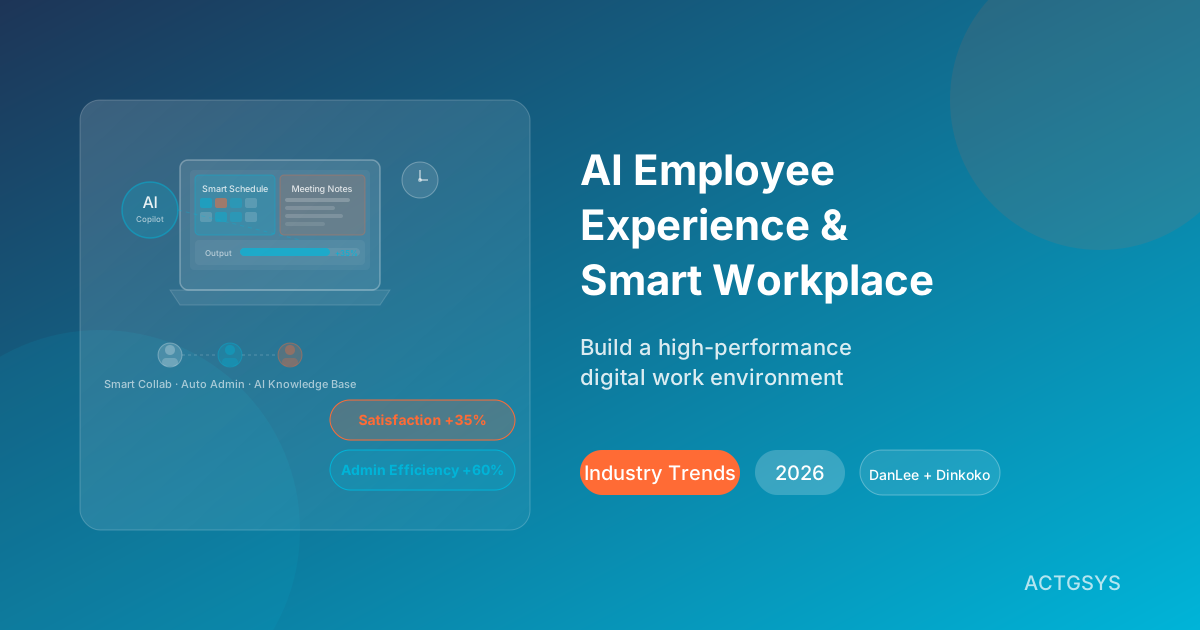
AI Employee Experience & Smart Workplace Guide: How SMEs Can Build a High-Performance Digital Work Environment in 2026
For the past five years, AI investment in most businesses has been laser-focused on the customer side: AI customer service, AI marketing personalization, AI sales forecasting. But in 2026, a major shift is underway — the most competitive organizations are now turning AI inward, using it to empower their own employees.
According to the latest Gartner report, Employee Experience (EX) has become one of the most critical competitive advantages an organization can possess. In today's fiercely competitive talent market, companies that make work feel effortless and well-supported enjoy a 40% higher retention rate and 35% greater productivity than their competitors. And AI-powered smart workplaces are the most powerful lever for building that advantage.
This guide breaks down the core trends, use cases, and implementation strategies for AI smart workplaces in 2026 — with practical, actionable advice tailored specifically for resource-constrained SMEs.
What Is an AI Smart Workplace? Redefining Employee Work Experience
Traditional "office automation" focused on digitizing paper-based processes: electronic forms, workflow approvals, email notifications. AI smart workplaces go several steps further: rather than simply digitizing, they enable systems to actively understand work context, anticipate needs, and execute tasks automatically — freeing employees from repetitive administrative work so they can focus on genuinely value-creating activities.
AI smart workplaces operate at three distinct levels:
Level 1: Automation Replacing predictable, repetitive tasks — automatically compiling meeting notes, filing documents, sending reminders.
Level 2: Augmentation Helping employees do their jobs better — AI suggesting optimal meeting times, summarizing lengthy reports, drafting email replies.
Level 3: Intelligence Proactive insight and prediction — detecting employees at risk of burnout, forecasting project delays, analyzing team collaboration efficiency trends.
A mature AI smart workplace integrates all three levels seamlessly.
Five Smart Workplace Trends Defining 2026
Trend 1: AI Meeting Assistants Become Standard Equipment
Research shows that knowledge workers spend an average of 35% of their working week in meetings, yet only 50% of that time is considered productive. In 2026, AI meeting assistants have evolved from novelty to necessity.
Meeting AI capabilities have advanced far beyond "audio-to-text transcription" to include:
- Real-time meeting summaries capturing discussion highlights and decisions
- Automatic extraction and assignment of Action Items to responsible parties
- Live agenda progress tracking during meetings
- Post-meeting summary distribution to all stakeholders, including absentees
- Meeting quality analytics (who rarely speaks? which meetings repeatedly cover the same ground?)
The SME impact: Once a meeting ends, no one needs to manually write up notes. Every participant's action items are automatically tracked, eliminating the "we discussed it but nothing happened" problem.
Trend 2: Smart Scheduling Replaces Back-and-Forth Coordination
"When are you free to meet?" — This question is asked millions of times every day across organizations worldwide. Smart scheduling systems use AI to analyze all participants' calendars and automatically identify the best meeting time, factoring in individual work preferences (some people dislike Monday morning meetings, for example).
2026's smart scheduling goes even further by integrating:
- Automatic time zone conversion for remote or overseas team members
- Protection of designated "Deep Work" blocks from unnecessary meetings
- Dynamic rescheduling when a participant cancels
- CRM integration syncing customer visit schedules directly to sales reps' calendars
Trend 3: Administrative Process Automation Goes Mainstream
Leave requests, expense reimbursements, procurement orders, contract approvals — in most SMEs, these processes still run through email chains or group chats, consuming enormous time and generating frequent errors. In 2026, the proliferation of low-code AI automation tools has dramatically lowered the barrier to automating these workflows, making complex approval processes accessible without engineering resources.
Trend 4: AI Knowledge Bases Eliminate Information Silos
Corporate knowledge is scattered everywhere: files in Google Drive, attachments buried in emails, institutional knowledge locked in senior employees' heads. AI knowledge bases fundamentally change this by automatically consolidating dispersed information, enabling employees to ask questions in natural language and receive accurate, instant answers — ending the frustration of spending 30 minutes hunting for a single document.
Trend 5: AI Sentiment Sensing and Proactive Employee Care
The most forward-thinking organizations have begun using AI to analyze employee communication patterns, workload indicators, and feedback data — identifying early warning signs of burnout before it becomes a crisis. This isn't surveillance; it's proactive care — giving managers the chance to intervene before employees hit a wall.
Core AI Smart Workplace Use Cases
Smart Scheduling and Calendar Management
One of the greatest productivity killers for modern workers is calendar fragmentation. Five separate 30-minute meetings scattered across the day makes it nearly impossible to enter a state of deep, focused work. AI calendar management tools address this by:
Automatically protecting deep work time Based on each employee's work patterns, AI automatically designates "Do Not Disturb" focus blocks on their calendar, preventing non-urgent meetings from eroding productive work time.
Intelligent meeting recommendations When someone requests a meeting, AI considers the topic's priority, attendees' energy levels (morning vs afternoon performance patterns), and existing schedule density to recommend the optimal meeting slot — not just the first available gap.
Calendar health analytics Weekly calendar analysis reports highlight trends: "You spent 60% of this week in meetings — consider reducing non-essential meetings next week," helping employees proactively manage their time.
DanLee CRM integration Customer visit records from sales reps sync automatically to their calendars. Meeting notes from client calls are automatically written back to the corresponding CRM contact cards — bidirectional sync that eliminates duplicate data entry.
AI Meeting Summaries and Action Items
Microsoft research shows that the average employee spends 57 minutes per day on post-meeting documentation and follow-up tracking. AI meeting assistants can reduce this to near zero.
A complete AI meeting workflow includes:
Before the meeting
- Automatically aggregating outstanding action items from the previous meeting
- Pulling relevant background materials based on the agenda (prior reports, past decisions)
- Sending meeting reminders and confirming attendance
During the meeting
- Real-time speech-to-text transcription (supporting mixed Chinese/English)
- Flagging key decision points as they occur
- Speaking time analytics to ensure balanced participation
After the meeting
- Complete meeting summary generated within 3 minutes
- Action items automatically assigned with deadlines
- Summary automatically shared with all stakeholders including absent parties
- Action items tracked to completion with automated reminders before deadlines
Administrative Process Automation
The following are the most common and highest-value administrative processes for SMEs to automate first:
Leave and attendance management Employees submit leave requests via app or chatbot. AI automatically validates leave type and balance, applies approval rules to auto-approve or route to the manager, then updates the employee's calendar and notifies relevant colleagues upon approval.
Expense reimbursement Employees photograph receipts. AI automatically reads amounts, dates, and expense categories, populates the reimbursement form, checks compliance with company policy (e.g., meal caps), and submits for approval. Upon finance approval, payment workflows trigger automatically.
Procurement requests When an employee raises a procurement need, AI queries Dinkoko ERP for current inventory levels (is the purchase actually necessary?), checks historical pricing, suggests the optimal procurement timing, and auto-generates a purchase request for approval.
Document approvals For contracts, proposals, reports, and other documents requiring multi-level sign-off, AI automatically determines the approval path based on document type and value — then tracks progress, reminds approvers, and escalates when deadlines are missed.
AI Knowledge Base and Employee Self-Service
Building a Corporate Intelligence Hub
Traditional internal knowledge management problems: knowledge updates lag behind reality, information is hard to locate, and the "knowledge walks out the door when senior employees leave" risk looms large. AI knowledge bases solve all three:
- Automatic knowledge extraction: Structures and indexes existing documents, emails, and meeting records
- Semantic search: Goes beyond keywords to understand question intent and surface genuinely relevant answers
- Knowledge validation: Periodically prompts knowledge owners to confirm information remains current
- Contextual recommendations: When an employee opens a customer record, AI automatically surfaces relevant product manuals and past service history
Employee Self-Service Bot
Employees ask questions in natural language:
- "What's the company travel reimbursement policy?"
- "Where's the NDA template?"
- "Which products had the highest revenue last quarter?"
- "How do I request an Adobe license?"
The AI knowledge base answers instantly; questions it can't handle are automatically routed to the appropriate department.
Smart Workplace Tool Comparison
| Function | Traditional | Basic Digital | AI Smart Workplace | Efficiency Gain |
|---|---|---|---|---|
| Meeting notes | Manual note-taking | Audio transcription | AI summary + action tracking | 90% time saved |
| Schedule coordination | Email/messaging back-and-forth | Shared online calendar | AI auto-finds optimal time | 85% time saved |
| Leave management | Paper / email | Online request form | AI auto-approval + calendar sync | 80% time saved |
| Expense reimbursement | Paper receipts + manual forms | Online submission | OCR + AI auto-categorization | 75% time saved |
| Knowledge lookup | Ask colleagues / search files | Shared cloud storage | AI semantic search + instant answers | 70% time saved |
| Procurement requests | Email + spreadsheets | Online request system | AI inventory check + smart suggestions | 65% time saved |
| Employee sentiment | Annual satisfaction survey | Quarterly survey | AI continuous analysis + early alerts | 6 weeks earlier detection |
| Document approvals | Physical signatures + email | E-signatures | AI smart routing + auto-tracking | 60% faster approvals |
CRM and ERP Integration for Enhanced Employee Experience
The greatest value of an AI smart workplace lies in breaking down system silos — enabling data to flow freely between CRM, ERP, HR systems, and collaboration tools, so employees no longer manually transfer information between platforms.
DanLee CRM Integration
A sales rep opens their morning task list. AI has already prioritized today's work based on DanLee CRM data:
- 3 customers have left quotes unanswered for over 7 days — AI recommends following up today with suggested talking points
- 2 opportunities are closing end of month — AI has prepared progress summaries for the rep's reference
- 1 customer visited the product page 3 times yesterday — AI flags this as "high-intent, recommend contacting today"
The rep never needs to open the CRM and manually scan through records. AI delivers a prioritized daily action list directly, saving 30 minutes of morning "prep time."
Dinkoko ERP Integration
A warehouse team member receives a new shipment and scans the barcode. Dinkoko ERP automatically:
- Updates inventory quantities in real time
- Notifies sales reps waiting for this stock (the goods have arrived — confirm shipping with customers)
- Cancels pending purchase orders if inventory now exceeds the safety stock level
- Generates a goods receipt and notifies finance for confirmation
The entire process requires zero manual data entry. Every relevant party receives an immediate notification, eliminating cross-department communication delays.
TanJee Workflow Integration
TanJee serves as the central nervous system connecting all of the above:
- A sales rep closes a deal in DanLee CRM → TanJee automatically notifies warehouse to prepare stock, finance to issue an invoice, and customer service to arrange after-sales follow-up
- An employee's leave request is approved → TanJee automatically syncs to the calendar, notifies the designated backup, and adjusts the work schedule
- Dinkoko ERP inventory drops below the warning threshold → TanJee automatically initiates the procurement approval workflow and alerts the purchasing manager
The result: employees spend less time relaying information and more time making decisions.
Smart Workplace ROI and Performance Metrics
Quantitative Results
For a 30-person SME, implementing AI smart workplace tools typically yields:
| Metric | Before | After | Improvement |
|---|---|---|---|
| Weekly meeting hours | 12 hrs/person | 8 hrs/person | 33% reduction |
| Post-meeting admin time | 45 min/meeting | 5 min/meeting | 89% reduction |
| Admin process handling | 4 hrs/week/person | 1 hr/week/person | 75% reduction |
| Information lookup wait | 23 min/query | 3 min/query | 87% reduction |
| Employee satisfaction score | 65/100 | 82/100 | 26% increase |
| Annual staff turnover | 18%/year | 11%/year | 39% reduction |
| Overall work efficiency | Baseline | +35% | Significant gain |
Financial Return Estimate
Assuming 5 hours saved per person per week (meetings + admin + information lookup):
- 30 people × 5 hours × 52 weeks = 7,800 hours/year
- At an average loaded cost of US$30/hour: US$234,000/year in labor cost savings
- Annual AI smart workplace tooling typically costs US$15,000–30,000
- ROI: 680% – 1,460%
Qualitative Benefits
- Faster decision-making: Information flows in real time; decisions no longer wait on data compilation
- Higher employee satisfaction: Employees feel supported rather than buried in administrative work
- Lower error rates: Automation eliminates mistakes from manual re-entry
- Stronger institutional knowledge: Company knowledge is no longer locked in individual employees' heads
- Faster new hire ramp-up: AI knowledge bases bring new employees to full working knowledge within 30 days
Frequently Asked Questions
Q1: How large an IT budget does an SME need to implement AI smart workplace tools?
The investment is more modest than most expect. The majority of AI smart workplace tools use SaaS subscription pricing, with monthly costs ranging from a few hundred to a few thousand dollars — no servers to purchase, no IT staff to maintain on-premise systems. The recommended approach is to start with your biggest pain point (e.g., meeting efficiency) and validate ROI before expanding. For a 30-person company, a comprehensive smart workplace suite typically costs between US$1,500–4,000/month — under US$150 per person per month.
Q2: What if employees resist adopting new systems?
Adoption resistance is the most common implementation challenge — and it's almost never about the technology. Success comes down to change management. Key tactics: (1) Frame the narrative around "making your work easier," not "the company is measuring your productivity"; (2) Identify early adopters in each department to serve as peer champions; (3) Allow parallel use of old methods initially, letting employees migrate naturally; (4) Deliver visible wins quickly — even something as simple as "we're eliminating two hours of unproductive meetings per week" creates momentum.
Q3: How do we balance AI smart workplace tools with data security?
Data security concerns are legitimate. We recommend selecting vendors that support private deployment or enterprise-grade plans that keep sensitive data within your organization's network. Establish clear policies defining which data may flow into cloud AI systems (for example, client contracts should not enter public cloud AI services) and conduct regular data usage audits. All solutions provided by ACTGSYS support on-premises deployment options to meet the stringent data security requirements of financial, legal, and healthcare industries.
Q4: We already use many different tools. How do we integrate them into a unified smart workplace?
System integration is the most significant challenge SMEs face in building a smart workplace. Two approaches work well: (1) Adopt a platform-based solution that covers the majority of your needs, reducing the number of systems requiring integration; (2) Use a workflow automation platform like TanJee as a "bridge" between existing systems — enabling data interoperability without replacing your current tools. ACTGSYS's consulting team can audit your existing technology stack and design an integration roadmap that minimizes switching costs and disruption.
Q5: How do we measure results and confirm we're getting real value?
Establish baseline metrics before implementation: record current weekly meeting hours, administrative work hours, and employee satisfaction scores. Remeasure after 90 days and compare the delta. Don't rely solely on efficiency numbers — regularly ask employees for qualitative feedback: "Does work feel smoother than it did before?" Using both quantitative and qualitative indicators gives you a complete picture of the true value your smart workplace is delivering.
Conclusion: From "AI for Customers" to "AI for Employees"
In 2026, AI is no longer the exclusive domain of large enterprises. SMEs that choose the right tools, find the right partners, and execute effective change management can build smart workplace environments where employees work more efficiently and with greater fulfillment every day.
Employee experience isn't a "perk" — it's a competitive capability. When your competitors are still coordinating procurement in group chats and going back and forth on meeting times via email, your team is handling all of that through AI and spending their energy on work that actually drives business value.
Ready to build your AI smart workplace? Contact ACTGSYS today — we'll design a customized smart workplace implementation roadmap based on your company size, existing systems, and business objectives, with measurable results from week one.
Products & Solutions in This Article
AI-powered CRM for lead management, customer tracking, and sales pipeline optimization designed for SMEs.
AI-driven ERP focusing on procurement, inventory, and supply chain management. Each customer deployed on dedicated cloud infrastructure.
Intuitive accounting system designed for Taiwan SMEs, with automated bookkeeping and financial reporting.
Related Articles
AI HR Automation: SME Onboarding and Talent 2026
68% of organizations now use AI in hiring and onboarding. Learn how SMEs can automate interview screening, onboarding workflows, and employee experience to reduce HR admin workload by 75%.
Anthropic Agent Skills as an Open Standard + Enterprise-Managed MCP Auth (2026): Wiring Claude into Stripe, Zapier, and Figma
In June 2026 Anthropic turned Agent Skills into an open standard, launching with 10 partners (including Atlassian, Figma, Canva, Stripe, Zapier), and on June 18 shipped Enterprise-Managed Authorization (EMA) for MCP connectors so IT admins can provision connectors org-wide via Okta. Here's what it means for 'wiring AI into your existing tools' and how Taiwan SMEs should adopt it.
US AI Export Controls Tighten and Anthropic Briefly Pulls Fable 5 (2026): Taiwan SMEs Suddenly Lose Top-Tier Models
In June 2026 the US escalated AI model export controls: a June 2 executive order, 'Promoting Advanced Artificial Intelligence Innovation and Security,' was followed mid-month by an order requiring Anthropic to block Mythos 5 and Fable 5 for non-US nationals — briefly disabling both for all customers. Taiwan SMEs are 'non-US nationals' and were directly affected. Here's the event, the risk, and a multi-model fallback strategy.
What would this cost you?
Answer five questions. Within three working days you get a price range and what it covers. No deck, no follow-up sales calls.
Prefer to talk?LINE·02-2553-8084